AI Live Photo Maker
Animate a photo with AI — free to try
Any picture — a portrait, a pet, a group shot — given real movement by AI. One free video, nothing to install.
Made with this tool
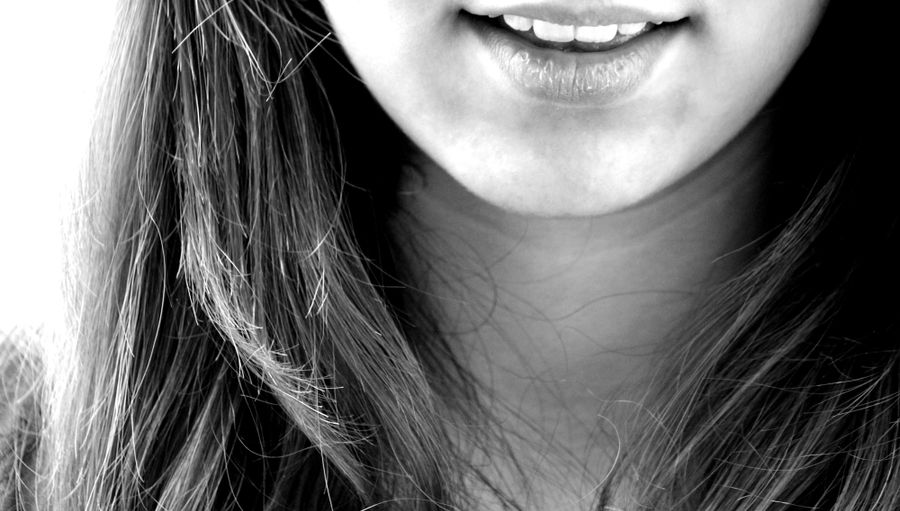
A still portrait, animated by AI — made with this tool.
Sharp, subject visible, 300px or more per side.
From almost still to clearly moving.
Five seconds of animation, about a minute to make.
AI photo animation, explained plainly
AI photo animation means a model generates new frames from a single still: it predicts how the subject would move over the next few seconds and renders that motion. The output is a short video of your own photograph — the same face, the same background — with life added, rather than an effect layered on top.
The alternative most free tools offer is a pan-and-zoom animation, sometimes called the Ken Burns effect. It moves the camera across a frozen picture. That is cheap to compute and is why it can be unlimited; generated motion costs real money per clip, so free tiers are small everywhere, including here.
Practical limits worth knowing before you upload: clips are five seconds at 720p, the photo should be at least 300 pixels on each side and roughly portrait or landscape rather than a thin strip, and faces give better results than empty scenes. Runs that fail return their credits without you asking.
If the picture is an old family photograph with damage or fading, the dedicated old-photo tool is tuned for it. If you want the picture to speak, the talking photo tool adds a voice and lip sync. Both share the same account and credits.
The three motion settings
Subtle adds breathing, a blink and the smallest shift of the head; it is the safest choice for portraits you want to keep looking exactly like the person. Smile does the same and lets an expression form, which suits portraits where the subject looks serious. Lively allows clear movement: a turn of the head, hair moving, a gesture. It is the most fun and also the setting where a face is most likely to drift away from the original.
If none of the three fits, describe the motion in one plain sentence, for example "she looks up and laughs" or "the dog tilts its head". Short, physical descriptions work better than moods or camera directions.
Pictures that animate well
- A sharp photo with the subject large in the frame. The tool refuses images under 300 pixels on a side, and very thin panoramas.
- Faces looking roughly toward the camera. Profiles and faces in deep shadow give the model less to work with.
- Pets, babies, couples and selfies all work. Group photos animate, but small faces in the back move less convincingly.
- Drawings, paintings and illustrations animate too, though the model sometimes makes them look more photographic.
- Landscapes and objects get a gentler, less predictable result, such as water or clouds moving, because there is no face to anchor the motion.
What people use animated photos for
- A moving profile picture or a short clip for Stories, Reels or TikTok.
- Bringing a late relative's portrait to life for a family video or memorial.
- Turning a pet photo into a short loop to send to friends.
- Giving an illustration or a book cover a few seconds of motion for a post.
What is free and what is not
In most countries a new account gets one free video with no card. It is a watermarked 720p preview and starts after a short queue of a few minutes. To download without the watermark, in HD, and without the queue, buy a credit pack: the Mini Pack is $4.99 for 5 videos (once per account), then $9.90 for 12 videos, with no subscription. A video costs 10 credits, credits last a year, and a failed or refused run gives its credits back automatically.
We do not offer unlimited free animation, and you should be wary of anyone who does: generated motion costs real money per clip. Unlimited free tools are usually pan-and-zoom effects, not AI animation.
Frequently asked questions
Can I animate a photo with AI for free?
One video per account is free, with no card. It comes back as a watermarked 720p preview and starts after a short queue wait. Credit packs from $4.99 (5 videos) remove the watermark, unlock HD downloads and skip the queue.
What kind of animation does it add?
Natural motion that suits the photo: breathing and small head movement on the gentlest setting, a smile forming in the middle one, clear movement on the strongest. You can also describe the motion yourself in a sentence.
Does it work on pets and objects?
Pets work well. Anything with a face works best, because the model has the most to hold onto there. Landscapes and objects animate, but the result is subtler and less predictable.
Will the face still look like the person?
Mostly yes on a clear, well-lit photo. Low resolution, heavy filters, or a face turned far to the side make the model guess, and that is when features drift. A failed or refused run refunds its credits automatically.
Do I need to install anything?
No. It runs in a browser tab on iPhone, Android, Windows and Mac, and the finished MP4 downloads like any other file.
More ways to use it
Guides
Polski: Ożyw zdjęcie · Deutsch: Bild animieren